Fire in da houseTop Tip:Paying $100+ per month for Perplexity, MidJourney, Runway, ChatGPT and other tools is crazy - get all your AI tools in one site starting at $15 per month with Galaxy AI Fire in da houseCheck it out free

ks-mcp-server

MCP.Pizza Chef: kubesphere

The KubeSphere MCP Server is an MCP server that integrates with KubeSphere APIs to provide structured access to KubeSphere resources. It features modular tools for Workspace Management, Cluster Management, User and Roles, and Extensions Center. It requires a KubeSphere cluster and a KSConfig for authentication and connection. This server enables real-time, model-driven interaction with KubeSphere environments, facilitating automation and enhanced workflows within Kubernetes ecosystems.

Use This MCP server To

Access KubeSphere cluster resources via MCP protocol Manage workspaces programmatically through MCP Control user roles and permissions in KubeSphere Automate cluster management tasks Integrate KubeSphere data into AI workflows Enable extensions management via MCP Fetch real-time cluster status and metrics Support multi-tenant workspace operations

README

KubeSphere MCP Server

The KubeSphere MCP Server is a Model Context Protocol(MCP) server that provides integration with KubeSphere APIs, enabling to get resources from KubeSphere. Divided into four tools modules: Workspace Management, Cluster Management, User and Roles, Extensions Center.

Prerequisites

You must have a KubeSphere cluster. contains: Access Address, Username, Password.

Installation

Generate KSConfig

The format is similar to kubeconfig. This configuration contains HTTP connector information. The default context for KubeSphere is kubesphere, which can be modified via the environment variable KUBESPHERE_CONTEXT.

apiVersion: v1
clusters:
- cluster:
    certificate-authority-data: <CA file>
    server: <Server Address>
  name: kubesphere
contexts:
- context:
    cluster: kubesphere
    user: admin
  name: kubesphere
current-context: kubesphere
kind: Config
preferences: {}
users:
- name: admin
  user:
    username: <KubeSphere Username>
    password: <KubeSphere Password>

<CA file>: Optional. Fill in the CA certificate in base64-encoded format when KubeSphere is accessed via HTTPS.
<Server Address>: Required Must be an HTTPS address. (If using HTTP, enter any HTTPS address here, then modify via the parameter --ks-apiserver http://xxx)
<KubeSphere Username>: Required The user for the KubeSphere cluster.
<KubeSphere Password>: Required The password for the KubeSphere cluster user.

Get ks-mcp-server binary

you can run command go build -o ks-mcp-server cmd/main.go or download from (github releases)[https://github.com/kubesphere/ks-mcp-server/releases] and then move it to $PATH.

Configuration MCP Server in AI Agent

Claude Desktop
  1. According to Claude Desktop should change the MCP Configuration. like:
{
  "mcpServers": {
    "KubeSphere": {
      "args": [
        "stdio",
        "--ksconfig", "<ksconfig file absolute path>",
        "--ks-apiserver", "<KubeSphere Address>"
      ],
      "command": "ks-mcp-server"
    }
  }
}

<ksconfig file absolute path>: Required The absolute path of the ksconfig file.
<KubeSphere Address>: Optional (but required for HTTP access) The access address of the KubeSphere cluster, supporting either the ks-console or ks-apiserver service address (e.g., http://172.10.0.1:30880).

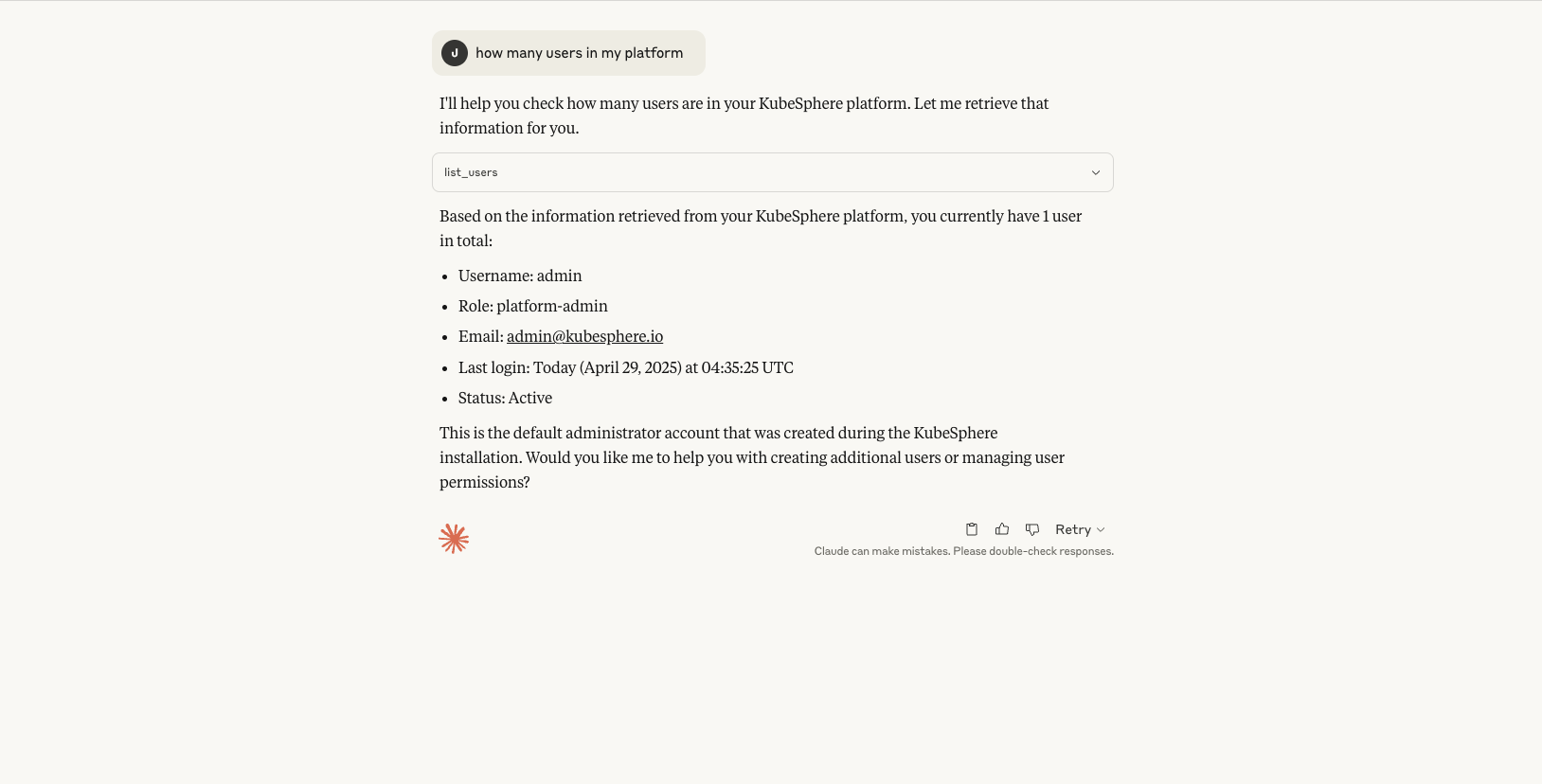
  1. chat with mcp server claude desktop result
Cursor
  1. According to Curosr should change the MCP Configuration. like:
{
  "mcpServers": {
    "KubeSphere": {
      "args": [
        "stdio",
        "--ksconfig", "<ksconfig file absolute path>",
        "--ks-apiserver", "<KubeSphere Address>"
      ],
      "command": "ks-mcp-server"
    }
  }
}

<ksconfig file absolute path>: Required The absolute path of the ksconfig file.
<KubeSphere Address>: Optional (but required for HTTP access) The access address of the KubeSphere cluster, supporting either the ks-console or ks-apiserver service address (e.g., http://172.10.0.1:30880).

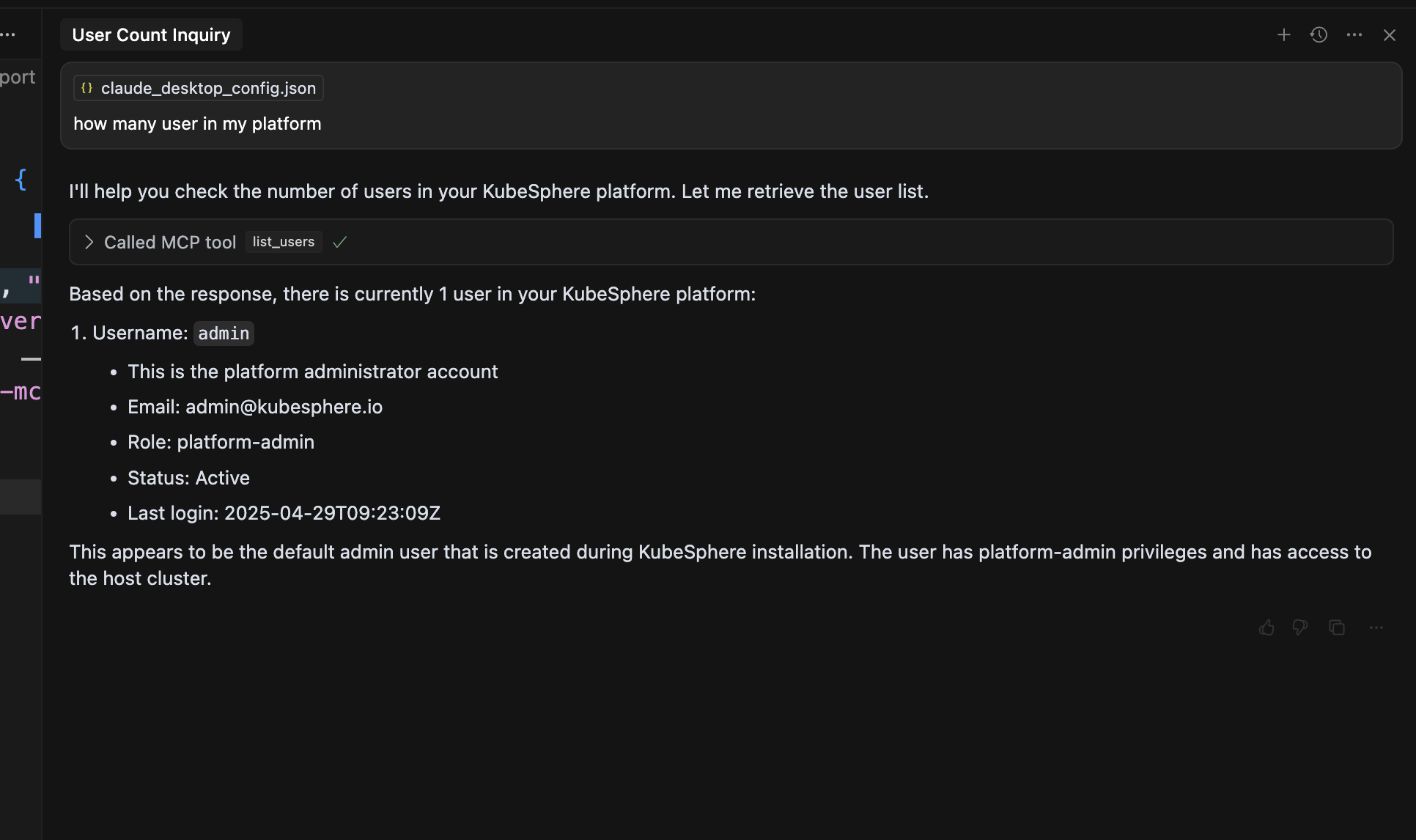
  1. chat with mcp server cursor result

ks-mcp-server FAQ

How do I configure the KubeSphere MCP Server to connect to my cluster?
You must generate a KSConfig file similar to kubeconfig, containing your cluster's access address, username, and password, and set the KUBESPHERE_CONTEXT environment variable if needed.
What modules does the KubeSphere MCP Server provide?
It includes Workspace Management, Cluster Management, User and Roles, and Extensions Center modules for comprehensive KubeSphere resource control.
Is a running KubeSphere cluster required to use this MCP server?
Yes, a functional KubeSphere cluster is necessary to connect and retrieve resources.
Can the KubeSphere MCP Server handle multi-tenant environments?
Yes, it supports multi-tenant workspace operations through its Workspace Management module.
How does the MCP server authenticate with KubeSphere?
Authentication is handled via the KSConfig file, which includes credentials and cluster access details.
Can this MCP server be used to automate Kubernetes cluster management?
Yes, it enables automation of cluster management tasks by exposing KubeSphere APIs through MCP.
What is the default context name in KSConfig?
The default context is named 'kubesphere', but it can be changed using the KUBESPHERE_CONTEXT environment variable.
Does the server support extensions management?
Yes, it includes an Extensions Center module to manage KubeSphere extensions.