
Fire in da houseTop Tip:Paying $100+ per month for Perplexity, MidJourney, Runway, ChatGPT and other tools is crazy - get all your AI tools in one site starting at $15 per month with Galaxy AI Fire in da houseCheck it out free

mcp-image-placeholder

MCP.Pizza Chef: husniadil

The mcp-image-placeholder is a lightweight MCP server that generates placeholder image URLs from two supported providers: placehold.co and lorem-picsum.photos. It validates input parameters such as provider, width, and height, and returns ready-to-use image URLs. This server is ideal for developers needing quick, customizable placeholder images for UI mockups, testing, or design workflows. It requires Python 3.9+ and the uv package manager for setup.

Use This MCP server To

Generate placeholder image URLs for UI mockups Fetch real image placeholders for design prototypes Create simple colored placeholders with custom dimensions Validate image size parameters before URL generation Integrate placeholder images into web or app development workflows

README

MCP Image Placeholder Server

This is a Model Context Protocol (MCP) server that provides a tool for generating placeholder images from different providers.

Features

  • Generates placeholder images from supported providers
  • Supports two image providers:
  • Validates input parameters
  • Returns image URLs for immediate use

Requirements

  • Python 3.9+
  • uv package manager

Installation

  1. Clone this repository
  2. Set up the configuration for MCP server

Usage

The server exposes one tool:

image_placeholder

Generate a placeholder image URL based on specified parameters.

Parameters:

  • provider: The image provider to use (placehold or lorem-picsum)
  • width: The width of the image (1-10000)
  • height: The height of the image (1-10000)

Returns:

  • URL string of the generated image

Example Usage:

# Generate a 300x200 placeholder image
url = image_placeholder(provider="placehold", width=300, height=200)

# Generate a 500px square lorem-picsum image
url = image_placeholder(provider="lorem-picsum", width=500)

Configuration

To connect this server to Claude for Desktop:

  1. Add the following to your claude_desktop_config.json:
    {
        "mcpServers": {
            "image-placeholder": {
                "command": "uv",
                "args": [
                    "--directory",
                    "/ABSOLUTE/PATH/TO/PROJECT",
                    "run",
                    "main.py"
                ]
            }
        }
    }
  2. Restart Claude for Desktop

To connect this server to Cursor:

  1. Open Cursor Settings
  2. Head to the Features section
  3. Scroll down to the MCP Servers section
  4. Click on the Add new MCP server button
  5. Enter the following information:
    • Name: image-placeholder
    • Type: command
    • Server URL: uv --directory /ABSOLUTE/PATH/TO/PROJECT run main.py
  6. Click on the Add ↵ button

Troubleshooting

If the tool is not detected, use absolute path of the uv command, e.g.

/ABSOLUTE/PATH/TO/uv --directory /ABSOLUTE/PATH/TO/PROJECT run main.py

Example Usage and Output (Cursor)

Prompt:

Create a new directory named "example" and a file named output.html.

Then create a single modern looking page using tailwindcss: https://unpkg.com/@tailwindcss/browser@4

Show a nice header, content, and footer, showing a photo gallery.

Save this into output.html
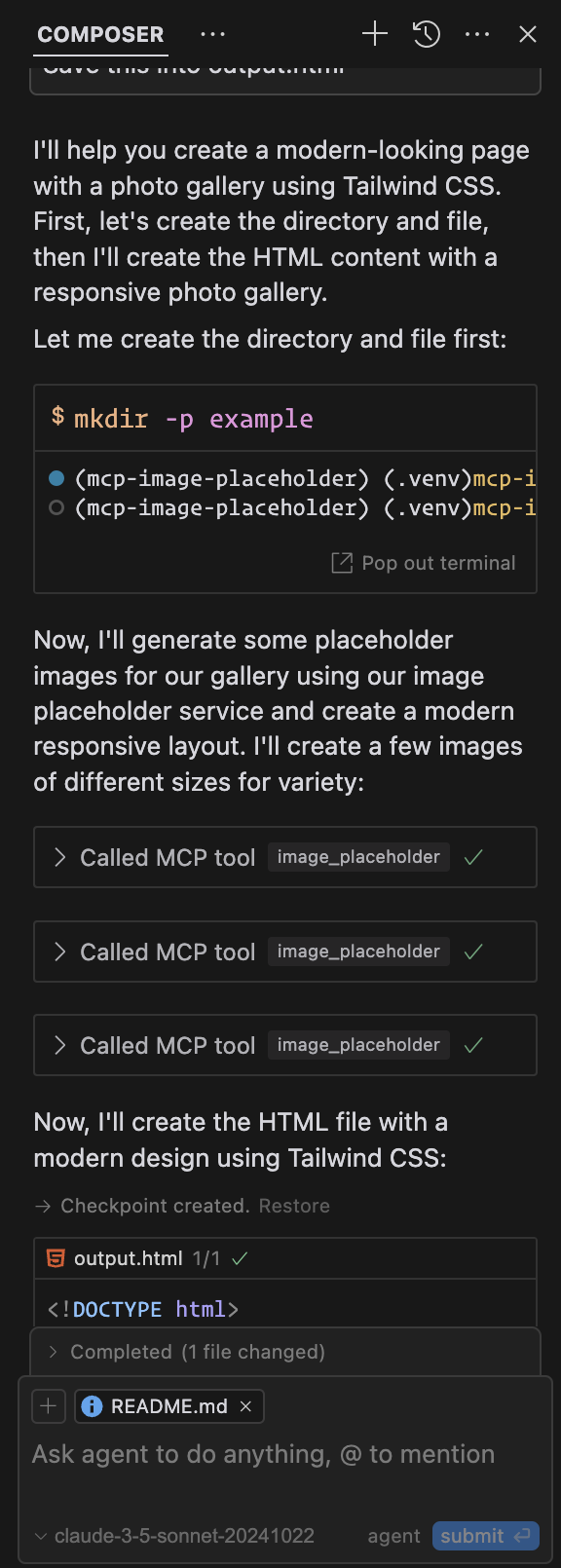
Screenshot of Cursor Agent

Output: Example Output (Cursor)

License

MIT License

mcp-image-placeholder FAQ

How do I install the mcp-image-placeholder server?
Clone the repository, set up the configuration, and ensure Python 3.9+ and uv package manager are installed.
Which image providers does this server support?
It supports placehold.co for simple placeholders and lorem-picsum.photos for real image placeholders.
What parameters are required to generate a placeholder image?
You need to specify the provider, width (1-10000), and height (1-10000) for the image.
Can I use this server to get image URLs instantly?
Yes, it returns image URLs immediately after validating the input parameters.
Is there any limitation on image dimensions?
Yes, width and height must be between 1 and 10000 pixels.
What programming environment is required?
Python 3.9 or higher and the uv package manager are required to run this server.
Can this server be integrated into existing MCP workflows?
Yes, it exposes a tool that can be called within MCP clients to generate placeholder images dynamically.