


SQLGenius is an intelligent SQL assistant that helps you query your BigQuery database using natural language. Built with MCP (Model Context Protocol), Vertex AI's Gemini Pro, and Streamlit.
- Natural language to SQL conversion using Gemini Pro
- Interactive Streamlit UI with multiple tabs
- Real-time query execution and visualization
- Database schema explorer
- Query history tracking
- Safe query validation
- BigQuery integration
- MCP-based architecture
Watch SQLGenius in action! Here's a quick demo of how to use the application:
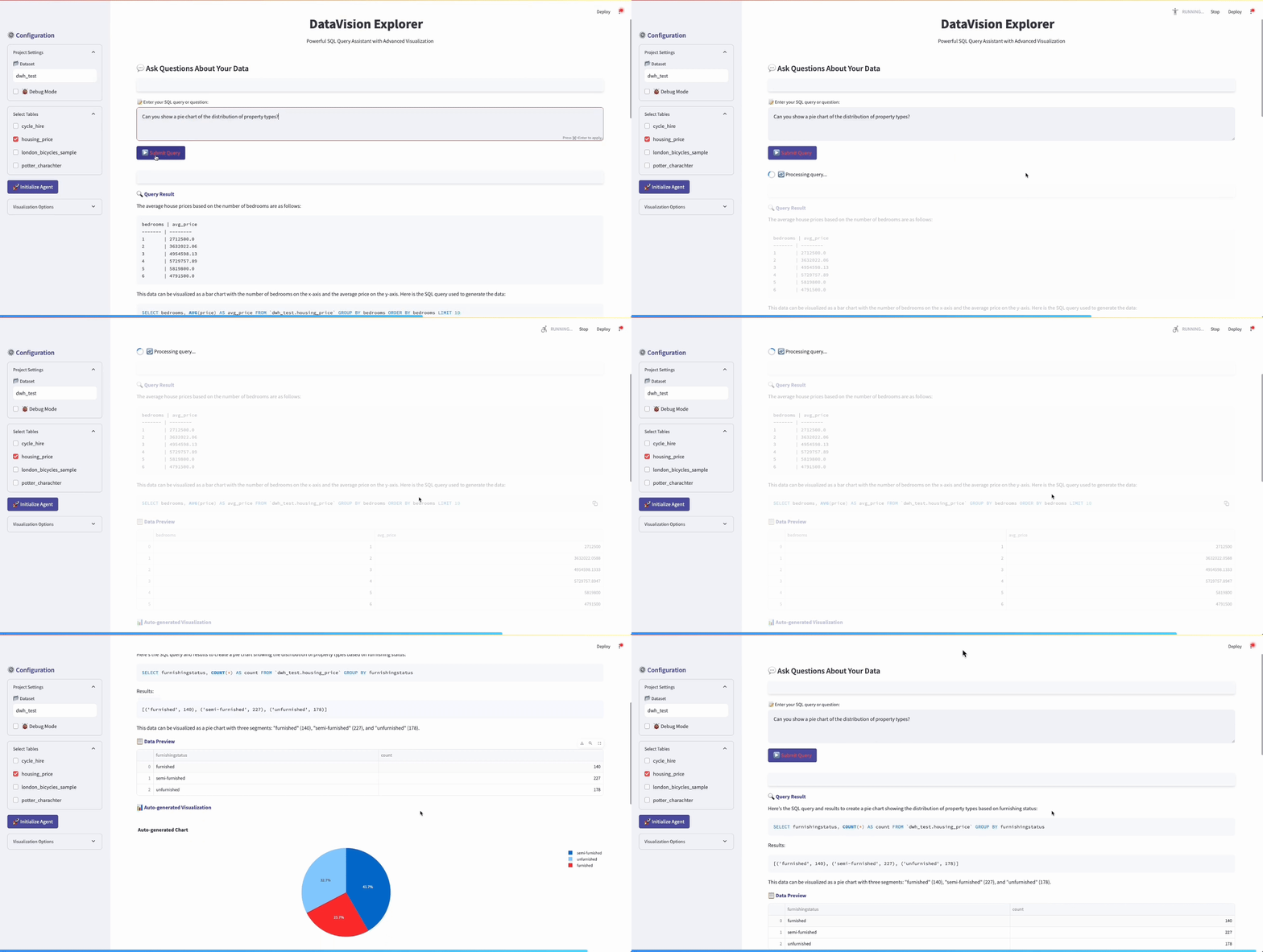
In this demo, you can see:
- Natural language query conversion to SQL
- Interactive data visualization
- Schema exploration
- Query history tracking
- Clone the repository and navigate to the project directory:
cd sql_mcp_server- Install dependencies:
pip install -r requirements.txt- Copy the
.env.examplefile to.envand fill in your configuration:
cp .env.example .env- Set up your environment variables in
.env:
PROJECT_ID=your-project-id
DATASET_ID=your-dataset-id
GOOGLE_APPLICATION_CREDENTIALS=path/to/your/service-account.json
VERTEX_AI_LOCATION=us-central1
- Start the application:
streamlit run streamlit_app.py-
The MCP server will start automatically when the Streamlit app launches
-
Use the tabs to:
- Ask natural language questions about your data
- Write SQL queries directly
- Explore your database schema
Ask questions in plain English and get SQL results:
- "Show me the top 5 customers by revenue"
- "What products have the highest sales in January?"
- "How many orders were placed last month?"
Write and execute SQL queries directly:
SELECT * FROM orders
WHERE order_date > '2023-01-01'
ORDER BY total_amount DESC
LIMIT 10- Browse available tables
- View table schemas
- See sample data from any table
- Only SELECT queries are permitted
- Query validation to prevent dangerous operations
- Secure credential management
- Error handling and input validation
SQLGenius uses the Model Context Protocol (MCP) to expose tools that enable:
- Natural Language Processing: Convert English questions to SQL
- Data Exploration: Fetch schema information and sample data
- SQL Execution: Run validated queries against your database
The architecture consists of:
- MCP Server: Handles DB connection and provides tools
- Streamlit Frontend: User interface for interacting with the system
- Vertex AI (Gemini Pro): Powers natural language understanding
- BigQuery: Executes SQL queries on your data
The following MCP tools are available:
execute_nl_query: Execute a natural language queryexecute_sql_query: Execute a raw SQL querylist_tables: List all available tablesget_table_schema: Get schema for a specific table
To add custom tools to the MCP server:
- Edit the
register_tools()method insql_mcp_server.py - Add your custom tool using the
@self.tool()decorator - Restart the server
Contributions are welcome! Please feel free to submit a Pull Request.