
Fire in da houseTop Tip:Paying $100+ per month for Perplexity, MidJourney, Runway, ChatGPT and other tools is crazy - get all your AI tools in one site starting at $15 per month with Galaxy AI Fire in da houseCheck it out free

bear-mcp-server

MCP.Pizza Chef: akseyh

The bear-mcp-server is an MCP server integration that enables LLMs to access and interact with Bear Notes stored in a local SQLite database. It supports reading notes, searching notes by text, and listing all tags, facilitating real-time, structured context retrieval from the Bear note-taking app. This server allows developers to build AI workflows that leverage personal note data securely and efficiently.

Use This MCP server To

Read Bear notes content for context-aware AI responses Search Bear notes by text queries for relevant information List all tags in Bear notes for categorization and filtering Integrate Bear notes into AI-powered knowledge management systems Enable LLMs to query personal notes for task automation

README

Bear MCP Server

MseeP.ai Security Assessment Badge

Verified on MseeP

This project is a Model Context Protocol (MCP) server that provides access to the Bear Notes.

Bear stores notes on SQLite database. This MCP server runs some SQL commands to access this notes. https://bear.app/faq/where-are-bears-notes-located
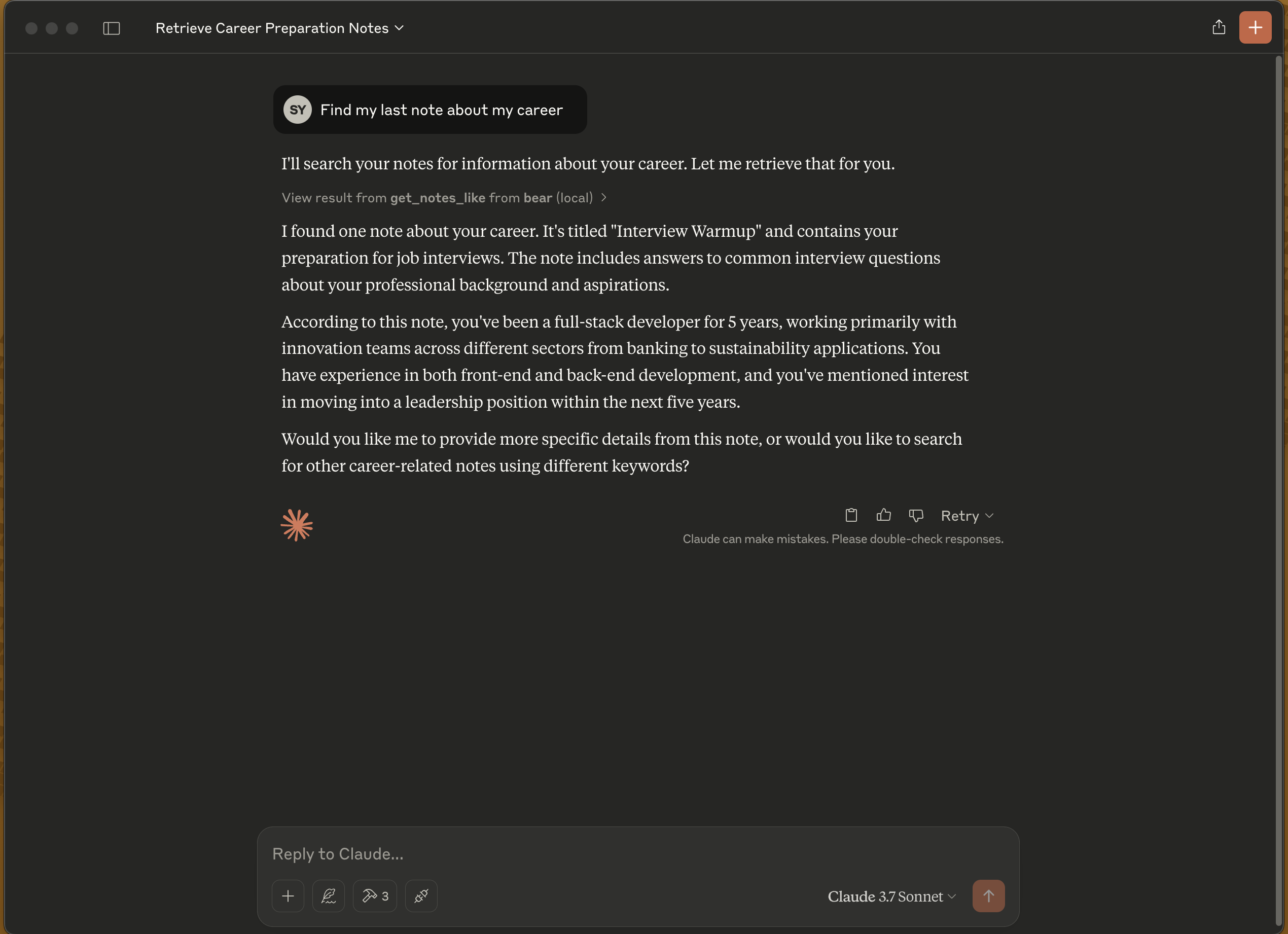
Kariyer notu arama örneği

Features

  • Read notes
  • Search notes by text
  • List all tags

Installation

# Clone the project
git clone https://github.com/akseyh/bear-mcp-server

# Change directory
cd bear-mcp-server

# Install dependencies
npm install

# Build the project
npm run build

Claude Desktop Config

Update your claude_desktop_config.json

Docker

{
    "mcpServers": {
        "bear": {
            "command": "docker",
            "args": [
                "run",
                "-v",
                "/Users/[YOUR_USER_NAME]/Library/Group Containers/9K33E3U3T4.net.shinyfrog.bear/Application Data:/app/db",
                "-i",
                "akseyh/bear-mcp-server"
            ]
        }
    }
}

NPM

{
  "mcpServers": {
    "bear": {
      "command": "node",
      "args": [".../build/index.js"] // Change it with your path
    }
  }
}

When the server is started, the following MCP tools become available:

  • get_notes: Retrieves all notes
  • get_tags: Lists all tags
  • get_notes_like: Searches for notes containing specific text

Requirements

  • Node.js
  • Bear note application (macOS)
  • Access to Bear database

License

ISC

bear-mcp-server FAQ

How do I install the bear-mcp-server?
Clone the GitHub repo, install dependencies with npm, then build the project using npm run build.
How does bear-mcp-server access Bear notes data?
It runs SQL commands on Bear's local SQLite database to read and search notes.
Can I search notes by text using this MCP server?
Yes, it supports full-text search queries on Bear notes.
How do I configure bear-mcp-server with Claude Desktop?
Update your claude_desktop_config.json to include the bear-mcp-server under mcpServers.
Is bear-mcp-server secure to use with personal notes?
Yes, it runs locally and accesses only your Bear notes database, ensuring data privacy.
What features does bear-mcp-server provide?
It provides reading notes, searching notes by text, and listing all tags from Bear notes.
Does bear-mcp-server require Bear app to be open?
No, it accesses the SQLite database directly, so Bear app does not need to be running.